
mediaU Radio Full1.5.0 - Get APK
You'll be able to download in few seconds.
Publisher Description
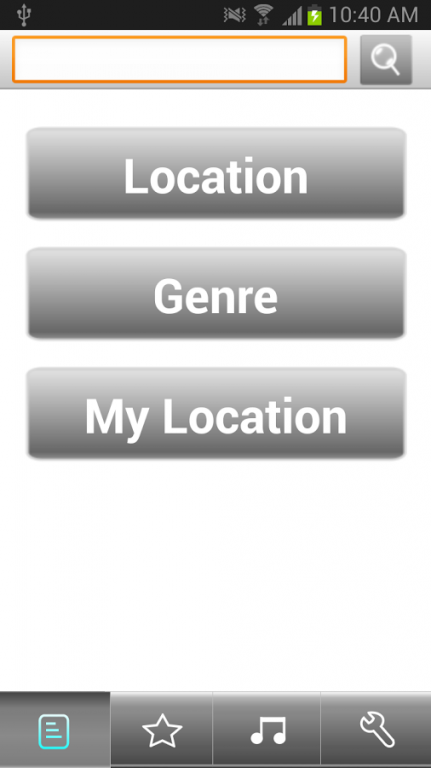
Want to listen to radio stations live on your Android? Or you can trough AM/FM tuner but find the quality is not good? Try mediaU Radio to listen on line via internet!
mediaU Radio is the most comprehensive and easy-to-use internet radio player.
Not only you can listen to AM/FM/DAB stations wherever you are, and also you can enjoy music stations on the web like Adult Contemporary, Blues, Dance, Hip Hop, Jazz, Top 40, Classical and lots of more.
Features:
LISTEN TO WORLDWIDE STATIONS – Easy and quick
AUTO RECONNECT
* ADJUSTABLE BUFFER LENGH – Smooth and stable on 3G.
* SLEEP TIMER
* WIDGET – Play your favorite stations directly from home screen. (If you save app to SD card, this feature is not supported due to Android’s constraint.)
* SCHEDULE PLAY – Wake up in the sound of your favorite station, just like your bedroom alarm clock. Easy and fully control settings than other apps.
* MY LOCATION – Easy to find local stations.
* my mediaU
a. Store your favorite stations, and manage them by category.
b. Manual add your personal station. (play from URL) Support most of station formats.
(WMA /MP3 /AAC /AAC+ /OGG, ASX/M3U/PLS …)
c. Use my mediaU through various devices and listen everywhere you go.
… And more!
About mediaU Radio Full
The company that develops mediaU Radio Full is mediaU. The latest version released by its developer is 1.5.0.
To install mediaU Radio Full on your Android device, just click the green Continue To App button above to start the installation process. The app is listed on our website since 2014-08-25 and was downloaded 0 times. We have already checked if the download link is safe, however for your own protection we recommend that you scan the downloaded app with your antivirus. Your antivirus may detect the mediaU Radio Full as malware as malware if the download link to mediau_full.player is broken.
How to install mediaU Radio Full on your Android device:
- Click on the Continue To App button on our website. This will redirect you to Google Play.
- Once the mediaU Radio Full is shown in the Google Play listing of your Android device, you can start its download and installation. Tap on the Install button located below the search bar and to the right of the app icon.
- A pop-up window with the permissions required by mediaU Radio Full will be shown. Click on Accept to continue the process.
- mediaU Radio Full will be downloaded onto your device, displaying a progress. Once the download completes, the installation will start and you'll get a notification after the installation is finished.
Program Details
System requirements
Download information
Pricing
Version History
version a.1.5.0
posted on 2014-08-25
# Stability improvements.,# Adding options of buffer length to 30s.,# Some other bugs.
version a.1.3.3
posted on 2011-04-28
Several fixes and updates
Disclaimer
External Download
We do not host mediaU Radio Full on our servers. We did not scan it for viruses, adware, spyware or other type of malware. This app is hosted by Galad and passed their terms and conditions to be listed there. We recommend caution when installing it.
The APK Download link for mediaU Radio Full is provided to you by apps112.com without any warranties, representations or guarantees of any kind, so access it at your own risk.
If you have questions regarding this particular app contact the publisher directly. For questions about the functionalities of apps112.com contact us.
